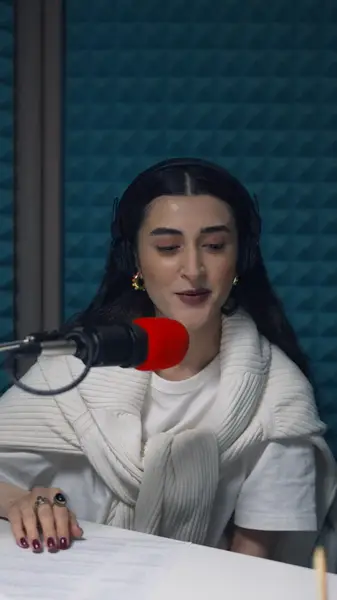
Word-by-word styles
Animated styles reveal or highlight each word as it's spoken, because every word has its own timing.
Captions timed to each spoken word, animated as they're said, and positioned where TikTok's interface won't sit on top of them.
No credit card · 2 free minutes every month · MP4, SRT and VTT export
On TikTok, a video has a moment to earn attention before the next one is a swipe away. If the opening line is only spoken, anyone watching with the sound down misses the reason to stay.
Captions fix that, but only if they can be read. TikTok stacks its like, comment and share buttons down the right side and the username and description along the bottom, and captions placed like film subtitles end up underneath all of it.
AutoCap burns word-timed captions into a 9:16 video and lets you put them exactly where they stay readable, before the clip ever reaches the app.
Animated styles reveal or highlight each word as it's spoken, because every word has its own timing.
Raise the captions and keep them left of the button column, so neither the buttons nor the description covers a word.
Short captions of a few words each let the opening sentence register instantly while the video keeps moving.
Choose the vertical aspect and the export crops to fit, so a horizontal recording can still fill a phone screen.
Set the font, text color and highlight color to match your account, and upload a custom font on a paid plan.
Bring in the edited MP4 or MOV, before any text or effects are added in TikTok.
Correct slang, names and anything the transcription heard wrong, starting with the hook.
Pick a word-by-word style, set 9:16, and move the captions up and away from the right edge.
Download the MP4 and post it to TikTok like any other video.
Every TikTok plays under a layer of controls. Down the right side sit the creator's profile picture and the like, comment, save and share buttons; along the bottom sit the username, the description and the sound, and a long description takes up more room than a short one.
TikTok's own advice for advertisers is to keep text, logos and key messages off the areas where buttons, usernames and captions can appear. The same logic holds for captions on any video: set them in the central part of the frame, above the description and left of the buttons.
The opening line is the one every viewer sees, whether they stay or not, so give it the most care. Proofread it twice, keep each caption short enough to take in with one look, and break it at the natural pause rather than mid-phrase.
Word-by-word styles suit this well. Each word appears or lights up exactly as it's said, which keeps the eye moving with the voice instead of racing ahead to the end of a long line.
TikTok can add auto captions from its editing screen, and they're a quick option when you're posting straight from the app. They use TikTok's look rather than yours, though, and they belong to that one post rather than to the video file.
Burned-in captions are the video. The font, colors, animation and position you picked are exactly what every viewer gets, and the same MP4 can go to Reels or Shorts without captioning it again.
Roughly in the middle of the frame or a little below it, clear of the button column on the right and the username and description at the bottom. Avoid the top edge as well.
Yes. Several caption styles animate one word at a time, driven by the start and end time recorded for every word.
Yes. Choose the 9:16 aspect and the export crops the frame to vertical, so it helps if the speaker was near the middle of the original shot.
Yes. They're part of the video, so anything you add inside TikTok sits on top of them; leave room for it when you position the captions.
AutoCap takes clips of up to 60 seconds on the free plan, with a watermark on exports, and up to 5 minutes on paid plans starting at $19 a month.
The free plan needs no card. Upload a clip, check the captions yourself, and only upgrade when you want the watermark gone.