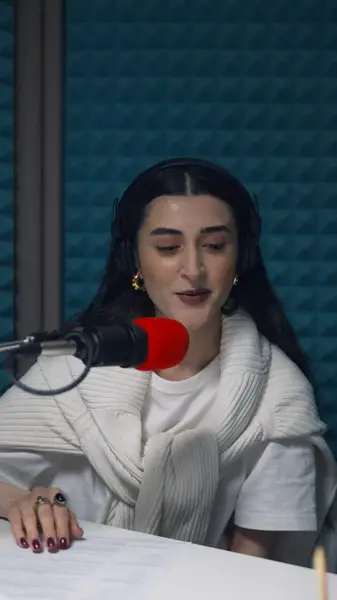
Two voices, kept apart
Break a caption at the word where the other person starts talking, so each line on screen belongs to one speaker.
Edit the episode wherever you like. When a highlight is ready to post, AutoCap captions it, styles it and crops it for each platform.
No credit card · 2 free minutes every month · MP4, SRT and VTT export
Descript edits audio and video by editing the transcript: delete a sentence and the recording follows, clear filler words in one pass, clean up the sound with Studio Sound and fix a line with a cloned voice.
That makes it a strong place to edit a whole episode. The clips you post afterwards are a different job: a minute of the best answer, in a vertical frame, with captions people can read on mute.
AutoCap does only that job. It captions the clip you exported word by word, in a style that suits the feed, and crops it for wherever it's going.
Break a caption at the word where the other person starts talking, so each line on screen belongs to one speaker.
Word-by-word pops, lines that build and karaoke highlights hold attention on mute in a way plain subtitles rarely do.
Export one clip at 9:16 for Shorts and Reels and at 4:5 or 1:1 for the feed, or keep the frame you recorded in.
Paid plans caption clips of up to 5 minutes, enough for a question, the answer and the moment it lands.
Cut the moment in your editor and export it on its own as an MP4 or MOV.
AutoCap transcribes the clip and times every word; fix names and split lines where the speaker changes.
Apply the look you use for the show, then choose 9:16, 4:5 or 1:1 for where the clip is headed.
Download the MP4 and publish it as a short, a reel or a feed post.
If you're editing the episode itself — cutting by editing text, removing filler words, cleaning up the audio or recording in the same app — Descript does work that AutoCap doesn't touch.
AutoCap also needs a video file. An audio-only episode is edited in an audio tool, and AutoCap comes in once a clip has a picture to put captions on.
While you edit the episode, note the timestamps of the best answers. Export each one as its own clip, starting on the first word of the thought and ending once the point lands.
Then caption the batch in one sitting with a saved preset, so every clip from the show carries the same look, and give each opening line a second read, since it's the one every scroller sees.
No. AutoCap's transcript drives the captions, not the cut, so trimming and rearranging the episode stays in your editor.
AutoCap captions video files, MP4 or MOV. For an audio episode, export the clip with a picture first, such as a still image or a waveform, then caption that.
9:16, 4:5, 1:1 or 16:9, or the original frame of your recording.
AutoCap's free plan gives you 2 minutes of transcription a month for clips up to 60 seconds; exports carry a small watermark, and no card is needed.
No. AutoCap has no connection with Descript, which appears here only so the two can be compared.
The free plan needs no card. Upload a clip, check the captions yourself, and only upgrade when you want the watermark gone.