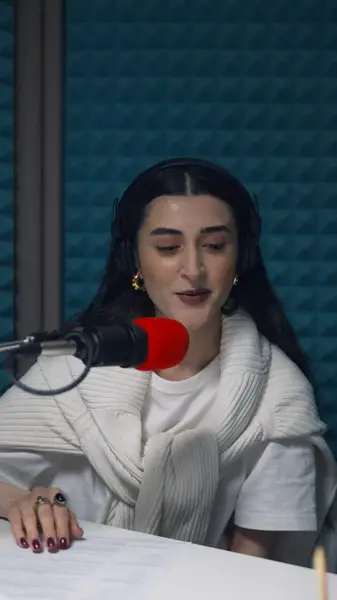
Motion timed to each word
Words pop, build or light up at the instant they're spoken, because every one carries its own timestamp.
On social video, captions are part of the picture. AutoCap makes them move with the voice and look like your brand.
No credit card · 2 free minutes every month · MP4, SRT and VTT export
Happy Scribe is a transcription and subtitling platform: transcripts and subtitles made by AI or by human professionals, translation into many languages, a subtitle editor, and export in a long list of file formats.
For interviews, research, broadcast and multilingual releases, that's exactly the toolkit. Short social video asks something else of captions: not just the right words, but big, bold text that moves with the speaker and holds attention on mute.
AutoCap is built for that. The words still have to be right, so every one is editable and timed, but the result is a caption designed to be watched as much as read.
A few of the editor's styles, playing in your language: single words, a line that builds, and highlights that follow the voice.
Words pop, build or light up at the instant they're spoken, because every one carries its own timestamp.
Recolor the word that carries the sentence, or give it the whole frame, so the point lands visually as well as aloud.
The captioned MP4 renders in your browser at up to 2K and plays the same on every platform, with no player settings involved.
Paid plans also download SRT, VTT and TXT from the same corrected transcript, for YouTube, LinkedIn or an archive.
Add a short MP4 or MOV made for social, up to 60 seconds free or 5 minutes on a paid plan.
Proofread the AI transcript, since big animated text makes every slip obvious.
Pick a style, set the colors and emphasis, and place the captions where the platform's buttons won't cover them.
Export the burned-in MP4, or a subtitle file as well on a paid plan.
If you need a transcript checked by a human professional, subtitles translated into other languages, hour-long recordings, or broadcast formats beyond SRT and VTT, a transcription and subtitling platform does work AutoCap doesn't offer.
AutoCap transcribes with AI only, in the language that was spoken, and you do the proofreading. It's built for short clips headed for social feeds.
Classic subtitles follow rules made for reading along: two short lines at the bottom of the frame, a calm typeface, enough time on screen to finish each line. Films, courses and interviews still suit them best.
Social captions follow the attention instead: a few words at a time, large and near the middle of a vertical frame, moving with the voice. The same transcript can become either, and it helps to decide which one a video needs before styling it.
No. AutoCap's transcripts come from speech recognition, and you correct them in the editor before exporting.
SRT, VTT and a plain-text TXT transcript, on any paid plan.
Each clip can be up to 5 minutes long on a paid plan. AutoCap is built for short-form video rather than full-length recordings.
AutoCap is free to start, with 2 minutes of transcription a month for clips up to 60 seconds; free exports carry a small watermark.
No. Happy Scribe is made by another company and appears here only to compare the two.
The free plan needs no card. Upload a clip, check the captions yourself, and only upgrade when you want the watermark gone.