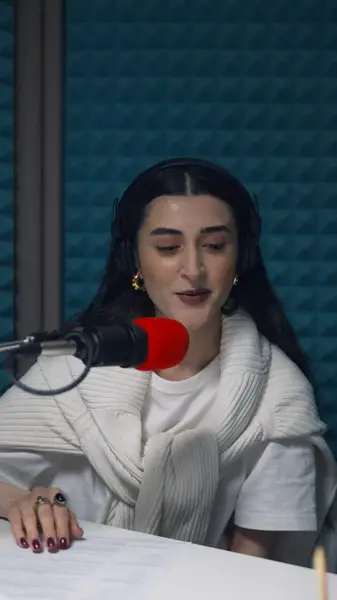
Nothing added but captions
AutoCap draws the captions on top of your frames and makes no other change to the picture, the cut or the sound.
Bring the finished export from your editor. AutoCap adds the captions and leaves the cut, the frames and the sound as they were.
No credit card · 2 free minutes every month · MP4, SRT and VTT export
Captions is an AI video app from Mirage that records, edits and dubs in one place: a teleprompter, eye-contact correction, AI editing, translation with lip-sync and AI avatars, as well as automatic captions.
That suits creators who film and finish inside one app. Plenty of videos are made differently: shot on a camera, cut in Premiere Pro or DaVinci Resolve, and missing only the captions at the end.
AutoCap is built for that last step. It reads the exported file, captions it word by word, and either burns the captions into a new MP4 or hands you a subtitle file to take back into your editor.
AutoCap draws the captions on top of your frames and makes no other change to the picture, the cut or the sound.
The export keeps the source frame rate and renders at up to 2K, so a 24 fps film stays 24 fps and a 60 fps gameplay clip stays 60.
Download an SRT on a paid plan and import it into Premiere Pro or DaVinci Resolve as a caption track, to style or deliver there.
Fix names and technical terms in the transcript, and nudge a single word's timing where the speech runs fast.
Paid plans take each clip up to 5 minutes long, which covers most trailers, ads, reels and course segments in one pass.
Render the finished cut as an MP4 or MOV without captions, at the frame rate you'll publish.
The soundtrack is transcribed, and every word comes back with a timestamp.
Check names and terms against the picture, then pick a caption style or keep the text plain.
Render a captioned MP4, or download an SRT on a paid plan to bring back into your edit.
If you record and finish everything in one app, or want AI to fix eye contact, cut the edit for you, dub it into other languages or present it with an avatar, an all-in-one AI video app does things AutoCap doesn't attempt.
AutoCap won't record, retouch or translate. It does the captioning and leaves the rest of your workflow where it already is.
Burned-in captions are the quickest route for social posts: one file that looks the same on every platform, in the style you chose.
An SRT is the better route when the edit may still change, when a client wants captions in their own house style, or when the video is headed for YouTube, which can show captions from a file.
Each clip can run up to 5 minutes on a paid plan and 60 seconds on the free plan. For a longer film, export the sections you'll actually post, or split the timeline into parts in your editor and caption each one.
No. Captions is a separate AI video app made by Mirage, and AutoCap is an independent captioning tool that runs in the browser.
Only by adding the captions. The frames, the cut, the frame rate and the sound are kept, and the export renders at up to 2K.
Yes. Download an SRT on a paid plan and import it into Premiere Pro or DaVinci Resolve as a caption track.
No. It captions speech in the language it was spoken and doesn't produce translations or dubbed audio.
Yes: AutoCap's free plan needs no card and covers 2 minutes of transcription every month on clips of up to 60 seconds, with a small watermark on exports.
The free plan needs no card. Upload a clip, check the captions yourself, and only upgrade when you want the watermark gone.